
Existing Quotes
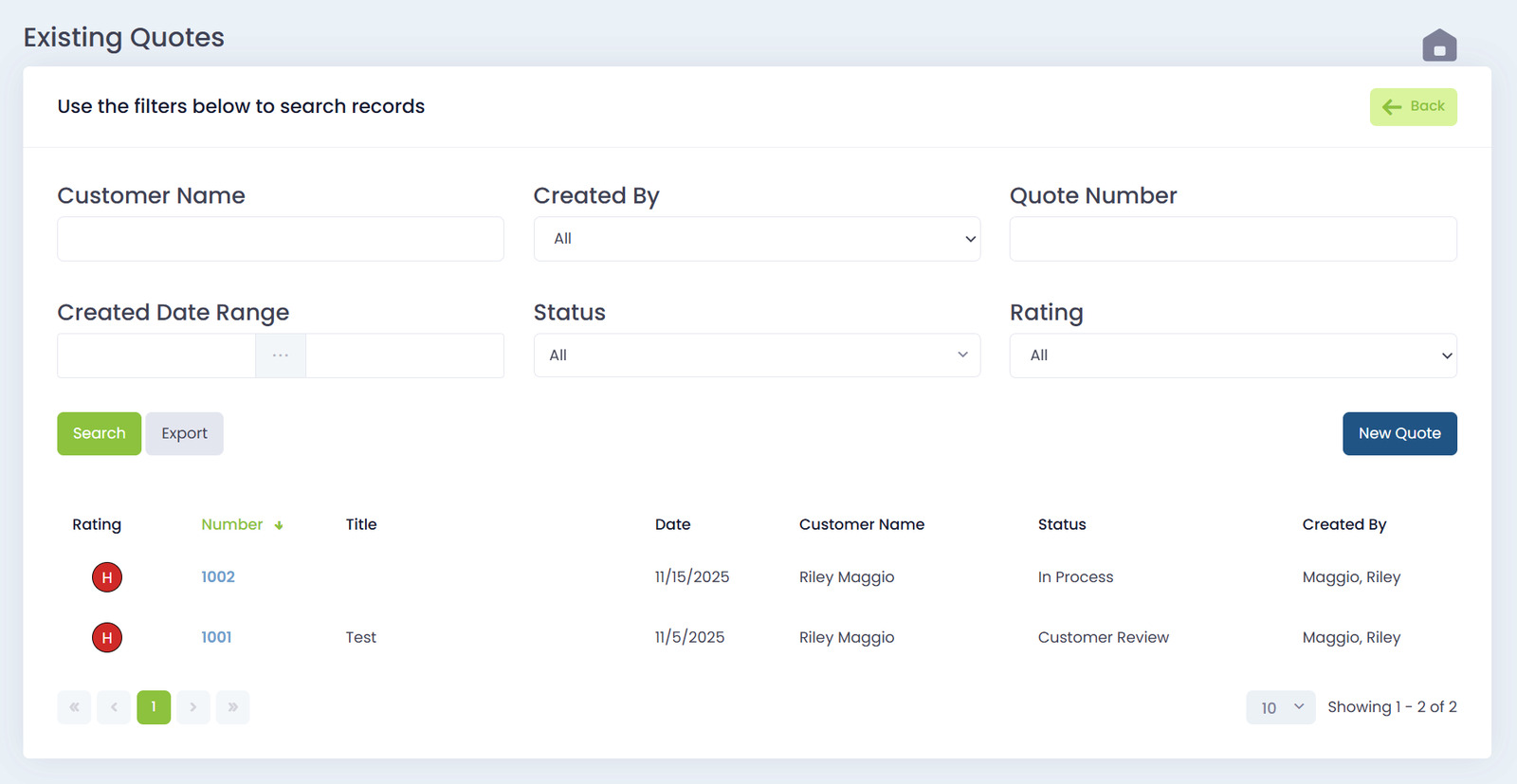
The Existing Quotes page lets you search filter and review every quote your team has created. This is where you go to look up quote history check statuses export lists or jump into a quote to edit or follow up.
The layout is simple. Filters at the top. Results table at the bottom.
Filters Section
You can filter quotes by:
- Customer Name
- Created By
- Quote Number
- Created Date Range
- Status
- Rating (Hot Medium Cold)
After selecting your filters click Search to update the results or Export to download your filtered list.
Status Filter
The Status dropdown includes every stage of the sales process. Examples include:
- In Process
- Customer Approved
- Customer Denied
- Customer Review
- Quote Delivered
- Quote Completed
- Presentation
- New
- Discovery
- IT Quote Requested
- Dead
- Cabling Won
…and any other statuses your company uses.
Rating Filter
The rating filter lets you sort by:
- Hot
- Medium
- Cold
- All
Ratings are color-coded in the results list for quick scanning.
Results Table
After running a search the results table displays each quote with the following columns:
- Rating (color-coded icon)
- Quote Number
- Title
- Date
- Customer Name
- Status
- Created By
Quotes with higher numbers appear at the top by default. You can sort the table by clicking on the column headers.

Opening a Quote
Click any quote number to open the full quote view. From there you can:
- Edit details
- Review pricing
- Change status
- Adjust rating
- Resend to the customer
This keeps follow-up fast and simple.